Comparisons
ReelBolt vs Arcade: two ways to make product videos
Arcade turns interactive demos and a brand kit into product videos; ReelBolt edits your footage into a promo from your repo and brand. See features and pricing.
· 6 min read
ReelBolt 0.2.0-alpha — public alpha. Expect rough edges; things may change. Tell us what’s wrong
We collect telemetry to see how the alpha is going. We also record product-health signals (a failed tool call, a refused request, a failed workflow step, or a chat that ended on an error) as metadata only, so we can see when the alpha is struggling. Each is linked to your account and workspace, and so to your email address; it is not anonymous. It carries no message content. Privacy policy
Comparisons
Descript, Runway, HeyGen, invideo, Arcade and ReelBolt compared for product promo videos: what each starts from, where each is strongest, and how each prices.
Published · 7 min read
This guide is for founders, product marketers and growth leads who need a product promo video without a production team. It covers five tools a buyer often weighs, Descript, Runway, HeyGen, invideo and Arcade, alongside ReelBolt, which we make. We picked the five because each is a strong example of one way to get a promo made; that choice is our judgement, not a market ranking. Every statement about another company’s product comes from that company’s own public pages, linked in the sources.
The one-sentence answer: these tools start from different places (your recording, a prompt, an AI presenter, a captured demo or your product’s repository and footage), and the right pick depends on where your video starts.
Six tools for product promo videos, from each company’s public pages on 2026-10-17
| Item | ReelBolt | Descript | Runway | HeyGen | invideo | Arcade |
|---|---|---|---|---|---|---|
| Starts from | Your footage, GitHub repo and brand kit | Your recordings 1 | Prompts, images and clips 5 | Text, slides or a prompt 9 | Prompts and your footage 13,14 | Your Arcade demos, a prompt and brand kit 18 |
| Edits your own footage | Yes: full timeline | Yes: transcript editing 1 | Partly: generative edits 5 | Partly: text-based editor 9 | Yes: timeline 13 | Partly: chat or timeline 18 |
| Generated video | B-roll on Pro and up | Yes: b-roll 1 | Yes: own and other companies’ models 4,6 | Yes: Video Agent 9 | Yes: many models 13 | Yes: AI Video 18 |
| Avatars or characters | No | Yes 1 | Partly: Characters 5 | Yes: core product 9 | Yes 13 | Not found |
| Brand kit | Yes: imports design tokens | Yes: Brand Studio 1 | Yes: Brand Kit on Pro 6 | Yes: paid plans 10 | Not covered | Yes 18 |
| Team | Team plan with roles | Per person; SSO on Enterprise 2 | Team plan listed 6 | Per seat on Business 10 | Per seat, guest seats 14 | Per seat on Growth 19 |
| Voice cloning | Yes, with the speaker’s consent | Yes, paid plans 2 | Yes, Pro and Max 6 | Yes 9 | Yes 13 | Through your own ElevenLabs account 25; AI voiceover 17 |
| MCP and Claude Code | Yes, Claude Code over OAuth | Yes, names Claude 3 | Yes, names Claude.ai and Desktop 7 | Yes, incl. Claude Code 12 | Yes, incl. Claude Code 15 | Yes, incl. Claude Code 20,23 |
| Public API | No: outside access is through its MCP server | Yes, paid plans 3 | Yes, developer API 8 | Yes, pay as you go 11 | Not found | Enterprise only 24 |
| Top export | Set by plan; see pricing | 4K from Creator tier 2 | 4K upscaling from Standard 6 | Up to 4K from Pro 10 | 4K own footage from Starter 14 | 1080p default 21; 4K on the AI Video Pro tier from Oct 19, 2026 22 |
| Pricing model | Credits; free trial | Per person, credits and media hours 2 | Credits; free plan 6 | Credits; free plan 10 | Credits per seat 14 | Credits by video length; per-seat Growth on Oct 17, 2026 19; AI Video Pro tier from Oct 19, 2026 22 |
“Not found” means we looked for it on the company’s pages we checked and did not find it; it may still exist. “Not covered” means our sources did not address it.
Descript is built around recording and editing through the transcript. It has a screen recorder and remote recording, removes filler words and retakes, and its AI co-editor turns a raw recording into a cut 1,2. It also offers AI avatars and eye-contact correction, and a public API for every paying user 1,3. Choose it when you are the one on camera or on the mic.
Runway builds its own generative video models and also offers models from other companies in its suite 4,6. You can edit one frame and apply the change across a video, map your voice and expressions onto a character, and build videos through its Agent 5. Its Max plan adds HDR and ProRes 6. Choose it when most of your video does not exist yet.
HeyGen makes videos presented by AI avatars and digital twins, from text, images, audio or a PPT or PDF deck, and translates them with lip-sync 9. Its remote MCP is available on all plans 12. Choose it for presenter-led explainers and multilingual outreach.
invideo is an agentic timeline editor with access to many third-party image and video models, agents you can build or bring, and multiplayer editing 13. Through its MCP you can export an editable project to Premiere Pro, Final Cut Pro or DaVinci Resolve 15. Choose it when you want to direct the agents and the models yourself.
Arcade makes on-brand product videos and interactive, clickable demos, with branching, CTAs, forms and analytics on its paid plans 17,19. AI Video turns your Arcade demos, a prompt and your brand kit into teasers, sizzle reels and product overviews 18. Choose it when you want a demo buyers can click as well as a video.
ReelBolt starts from the product you are promoting. Connect a GitHub repository and branch, pick the files that matter, and the project updates when you push. The brand kit imports from design tokens, CSS, Tailwind, Storybook or a brand PDF.
It then edits your real footage. It removes silences, and on Pro, Team and Enterprise an edit room of several AI editors and a director decides what to keep. Tracked screen inserts place your own video on a green, blue or magenta screen and follow it as it moves, and object tracking can blur, pixelate or fill details such as license plates. Generated b-roll fills gaps in the cut under a spend cap, and narration, pickups in a cloned voice the speaker has consented to, and dubs are written to fit the edit.

Every run shows a credit estimate before it starts, and the assistant shows the exact change and its cost before it acts. Claude Code connects to the same tools through ReelBolt’s MCP server.
ReelBolt has no avatars and no interactive demos. Its dubs keep the speaker’s original mouth movement.
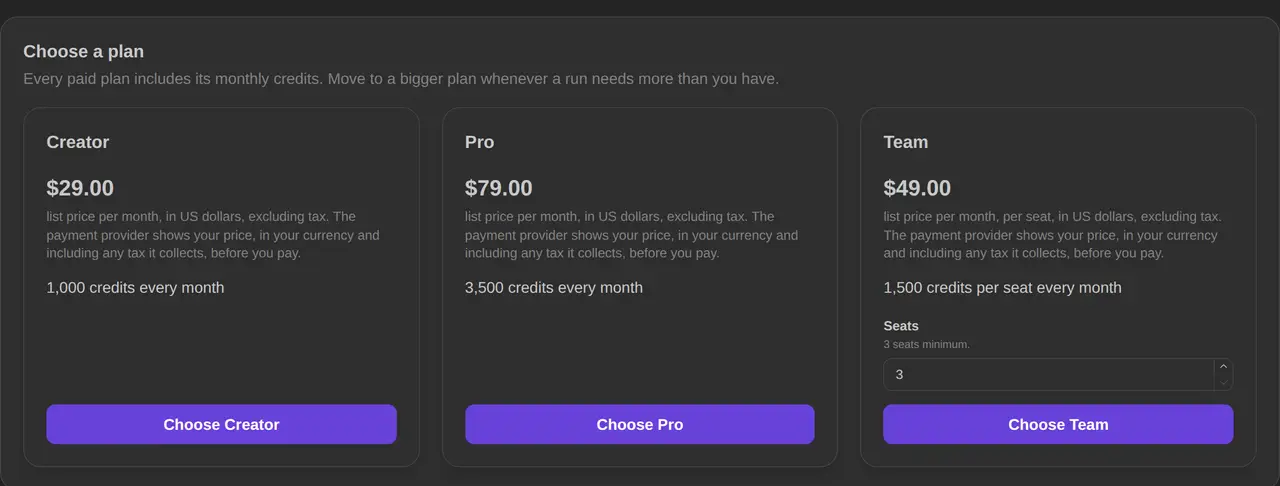
Every tool here uses credits in some form, and a credit means something different at each one, so compare the cost of the video you need.
Prices and features checked on 2026-10-17 from each vendor’s public pages; they may have changed. Product names are trademarks of their owners and are used only to identify the products.
All six publish an MCP connection. HeyGen, invideo and Arcade name Claude Code on their pages, and ReelBolt’s MCP server connects Claude Code over OAuth. Descript and Runway name Claude more generally.
Descript, HeyGen and invideo offer AI avatars, and Runway offers Characters. ReelBolt does not make avatars, and we found none on Arcade’s pages.
No. Each company defines a credit differently and spends it on different things. Price the video you actually need in each tool, using each company’s pricing page.
We make ReelBolt, so we have an interest. To keep it checkable, every statement about the other tools comes from their own public pages, linked in the sources, and each tool’s strengths are listed.
See it on your product
Start with the product you already have. The assistant and the editors take it from there, and every paid step shows its estimate first.
Comparisons
Arcade turns interactive demos and a brand kit into product videos; ReelBolt edits your footage into a promo from your repo and brand. See features and pricing.
· 6 min read
Comparisons
Descript and ReelBolt both edit video with AI. See where Descript leads, where ReelBolt differs, how each one prices, and which suits a product promo video.
· 6 min read
Comparisons
HeyGen makes avatar-led videos from text, slides or a prompt; ReelBolt edits your real footage into a product promo. Compare features, pricing and best fit.
· 6 min read