Comparisons
Choosing a tool for product promo videos in 2026
Descript, Runway, HeyGen, invideo, Arcade and ReelBolt compared for product promo videos: what each starts from, where each is strongest, and how each prices.
· 7 min read
ReelBolt 0.2.0-alpha — public alpha. Expect rough edges; things may change. Tell us what’s wrong
We collect telemetry to see how the alpha is going. We also record product-health signals (a failed tool call, a refused request, a failed workflow step, or a chat that ended on an error) as metadata only, so we can see when the alpha is struggling. Each is linked to your account and workspace, and so to your email address; it is not anonymous. It carries no message content. Privacy policy
Comparisons
Descript and ReelBolt both edit video with AI. See where Descript leads, where ReelBolt differs, how each one prices, and which suits a product promo video.
Published · 6 min read

This comparison is for founders, product marketers and growth leads who need a product promo video and have Descript and ReelBolt on their shortlist. We make ReelBolt, so read it with that in mind. Every statement about Descript comes from Descript’s own public pages, linked in the sources at the end.
The short version: Descript is an AI editor built around recording your video and editing it through its transcript, while ReelBolt starts from your product’s repository and brand kit and edits your footage into a finished promo.
ReelBolt and Descript compared, from each company’s public pages on 2026-10-17
| Item | ReelBolt | Descript |
|---|---|---|
| Input sources | Uploaded footage, a GitHub repo and branch, Google Drive, OneDrive and Dropbox | Your recordings and uploads, with a built-in screen recorder and remote recording 1,2 |
| Editing | Yes: timeline editor with transcript editing, silence removal, multicam and color grading | Yes: text-based editing, filler-word and retake removal, an AI co-editor 1,2 |
| Generated b-roll | Yes, on Pro, Team and Enterprise: shots planned under a spend cap | Yes: generates video, voice audio, music and images 1 |
| Voice | AI narration, text-to-speech, voice cloning with the speaker’s consent, pickups and dubs | AI speech with custom voice clones on paid plans; translation and dubbing 1,2 |
| Avatars | No | Yes: AI avatars, plus eye contact and green screen 1 |
| Brand kit | Yes: imports design tokens, CSS, Tailwind, Storybook, brand PDFs and more | Yes: Brand Studio 1 |
| Team | Team plan with workspace roles | Priced per person; SSO and SCIM on Enterprise 2 |
| Export | Resolution set by plan; OTIO, EDL and Final Cut XML for other editors | Resolution set by plan: 720p with a watermark on Free, 4K from the Creator tier 2 |
| Integrations | MCP server for Claude Code and other MCP clients; GitHub; cloud drives | Public API on every paid plan, an MCP connection, a CLI and Zapier 3 |
| Pricing model | Credits: free trial, then Creator, Pro, Team and Enterprise | Free plan; paid plans per person per month, each with media hours and AI credits 2 |
Descript records as well as edits. It has a built-in screen recorder, and its plans include remote recording 1,2. ReelBolt can record a voiceover inside the timeline, but the rest of your footage comes from somewhere else.
Editing through the transcript is the center of Descript. Text-based editing is available from the free plan up, and its AI co-editor, Underlord, turns a raw recording into a cut 1,2. It also removes filler words and retakes, and includes Studio Sound for audio 1. ReelBolt lets you edit from the transcript too, but its main working view is a multi-track timeline.
Descript has AI avatars, plus eye-contact correction and green screen 1. ReelBolt has no avatars. If you need a presenter on screen and nobody on the team wants to be filmed, Descript covers that and ReelBolt does not.
Descript gives every paying user API access at no extra cost, next to its MCP connection, a CLI and Zapier 3. ReelBolt’s outside access is its MCP server for Claude Code and other MCP clients. If your team plans to script video jobs against a documented public API, Descript has one.
Descript also states its dubbing reach: its Business plan translates and dubs video in 30+ languages, with proofreading 2. ReelBolt dubs narration and dialogue as well, but the speaker’s original mouth movement stays as it was.
ReelBolt starts from the product you are promoting. Connect a GitHub repository, pick the branch and the files that matter, and the project updates when you push.
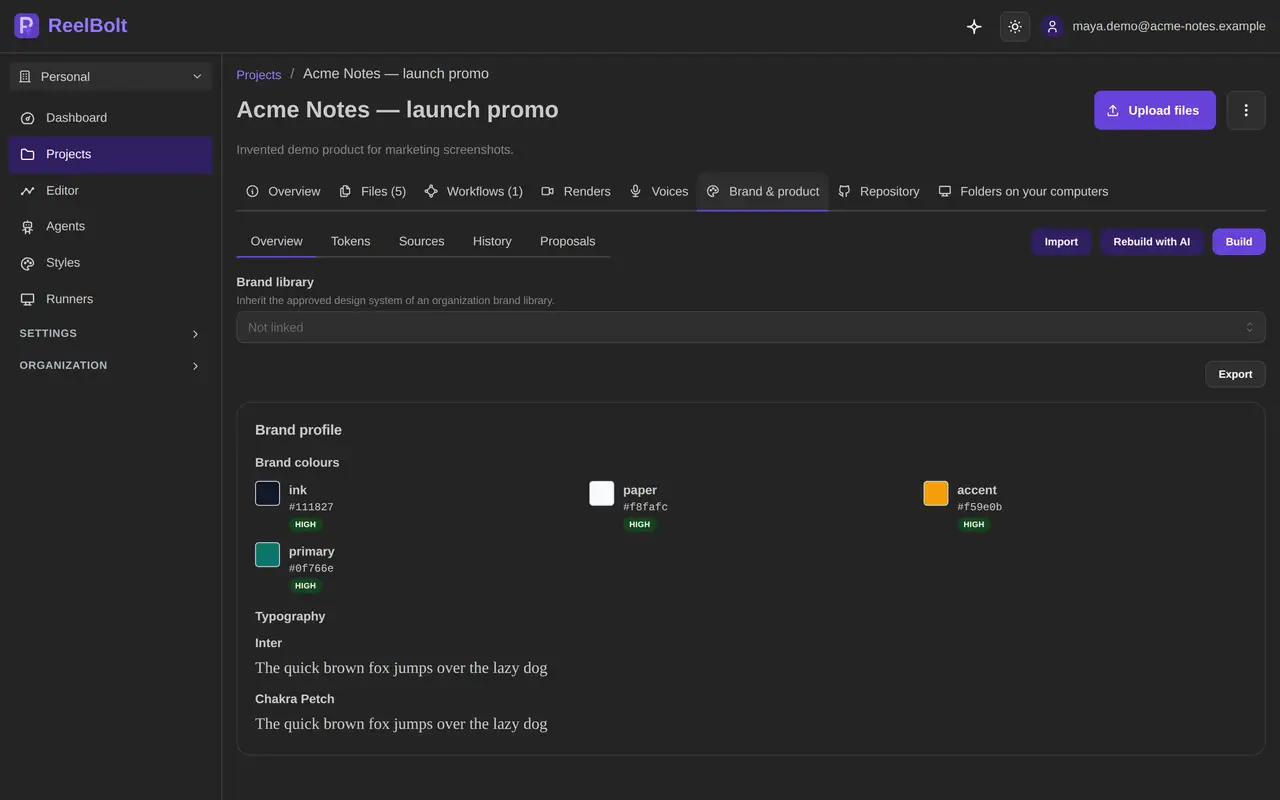
Your brand kit comes from the design system you already keep. ReelBolt imports design tokens (DTCG, Style Dictionary, Tokens Studio), CSS and Tailwind, DESIGN.md, shadcn, Storybook and brand PDFs. Importing is free, and AI fills gaps only after you confirm an estimate.
On Pro, Team and Enterprise, an edit room puts several AI editors and a director on your footage to decide what to keep. A color grade room then sets one look for the whole video, from options such as Warm, Filmic or Muted.
Screen footage gets tracked inserts. Fill a green, blue or magenta screen with your own video or animation, and the insert follows the screen as it moves, on curved surfaces and across several screens in one shot. When tracking confidence is low, ReelBolt does not apply the insert. The same tracking can find objects such as license plates and blur, pixelate or fill them.
Titles and callouts come from an AI designer you brief in words. Describe a title, badge, price tag, arrow or number, and ReelBolt draws it on a transparent layer with your exact text and your brand colors and fonts. Ask it to “make it bolder” and it revises the graphic, keeping the old layer hidden in case you want it back.
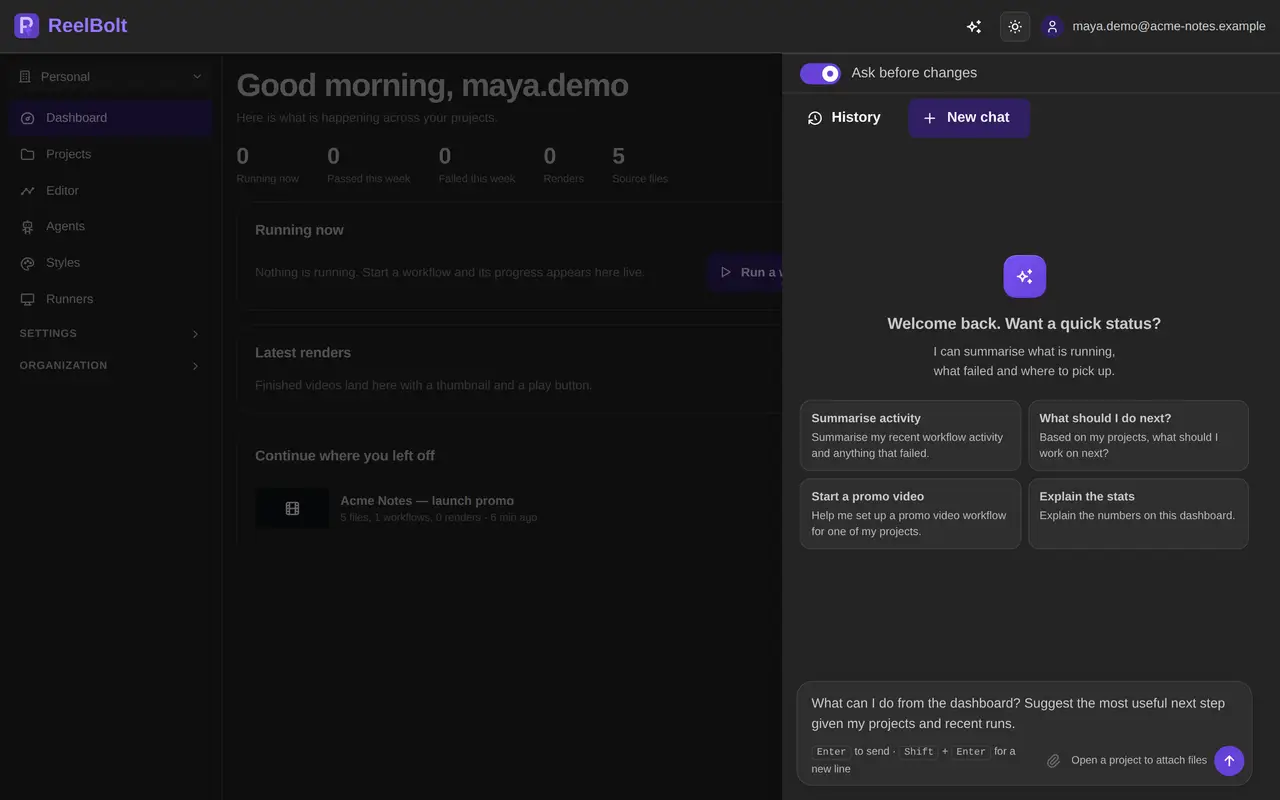
The assistant shows an approval card with the exact change and its cost before it acts, unless you turn on auto mode. Claude Code connects to the same tools through ReelBolt’s MCP server, with the same confirmations.
Descript has a free plan with text-based editing and a 720p export that carries a watermark. Paid plans are priced per person per month, with monthly or annual billing, and each tier sets a monthly allowance of media hours and AI credits. Watermark-free export starts on the Hobbyist tier and 4K export on the Creator tier. Top-ups are available only on Creator and Business, and Enterprise goes through sales. Current figures are on Descript’s pricing page (opens in a new tab) 2.
ReelBolt plans are credit based. A free trial includes 100 one-time credits. Creator is $29 a month, Pro is $79 and Team is $49 per seat per month. Generated b-roll and the AI rooms come with Pro, Team and Enterprise, and Pro exports up to 4K. The pricing page has the full plan details.
Before a run starts, ReelBolt shows an estimate: a likely credit amount and the range it usually falls in. File summaries, indexing and search, and storage within your plan use no credits. If a run fails on our side, the credits come back. Top-up packs are for paid plans and expire after 12 months.
A credit buys something different at each company, so comparing one tool’s credit with another’s will mislead you. Compare the cost of the video you actually need.

Pick Descript if you record yourself, your screen or remote guests and like to edit by cutting words from a transcript. It is also the better fit if you need an AI avatar, an eye-contact fix or a public API for scripted jobs.
Pick ReelBolt if the video promotes a software product and you want it built from that product: its repository, its design tokens and its screen footage. It suits teams that want tracked screen inserts, blurred details and on-brand graphics handled in the same project, and that want to drive the work from Claude Code with the cost shown before each step.
A founder talking to camera is a shorter path in Descript. A feature launch cut from screen captures and product footage is the job ReelBolt is built for.
Prices and features checked on 2026-10-17 from each vendor’s public pages; they may have changed. Product names are trademarks of their owners and are used only to identify the products.
No. ReelBolt edits your footage and can add generated b-roll, narration and designed graphics, but it does not create on-screen avatars. If you need a presenter who is not on camera, Descript offers AI avatars.
Yes. ReelBolt has an MCP server that Claude Code and other MCP clients connect to over OAuth, with the same tools and the same confirmations as the assistant in the app. Descript also offers an MCP connection.
Yes. The timeline exports OTIO, EDL and Final Cut XML, plus SRT and VTT subtitles. The Final Cut export leaves out titles, grades and effects, so plan to redo those in your other editor.
Every run shows a credit estimate before it starts, as a likely amount and a usual range. If the run fails on our side, the credits come back. Current plan prices are on the pricing page.
See it on your product
Start with the product you already have. The assistant and the editors take it from there, and every paid step shows its estimate first.
Comparisons
Descript, Runway, HeyGen, invideo, Arcade and ReelBolt compared for product promo videos: what each starts from, where each is strongest, and how each prices.
· 7 min read
Comparisons
Arcade turns interactive demos and a brand kit into product videos; ReelBolt edits your footage into a promo from your repo and brand. See features and pricing.
· 6 min read
Comparisons
HeyGen makes avatar-led videos from text, slides or a prompt; ReelBolt edits your real footage into a product promo. Compare features, pricing and best fit.
· 6 min read