Pictures and thumbnails
You will start a picture in the picture editor and export it. Your original picture is never changed. Every edit is a layer on top.
Early preview
The picture editor is part of the editor's Early preview. Your work is saved, but some tools may change.
Start a picture
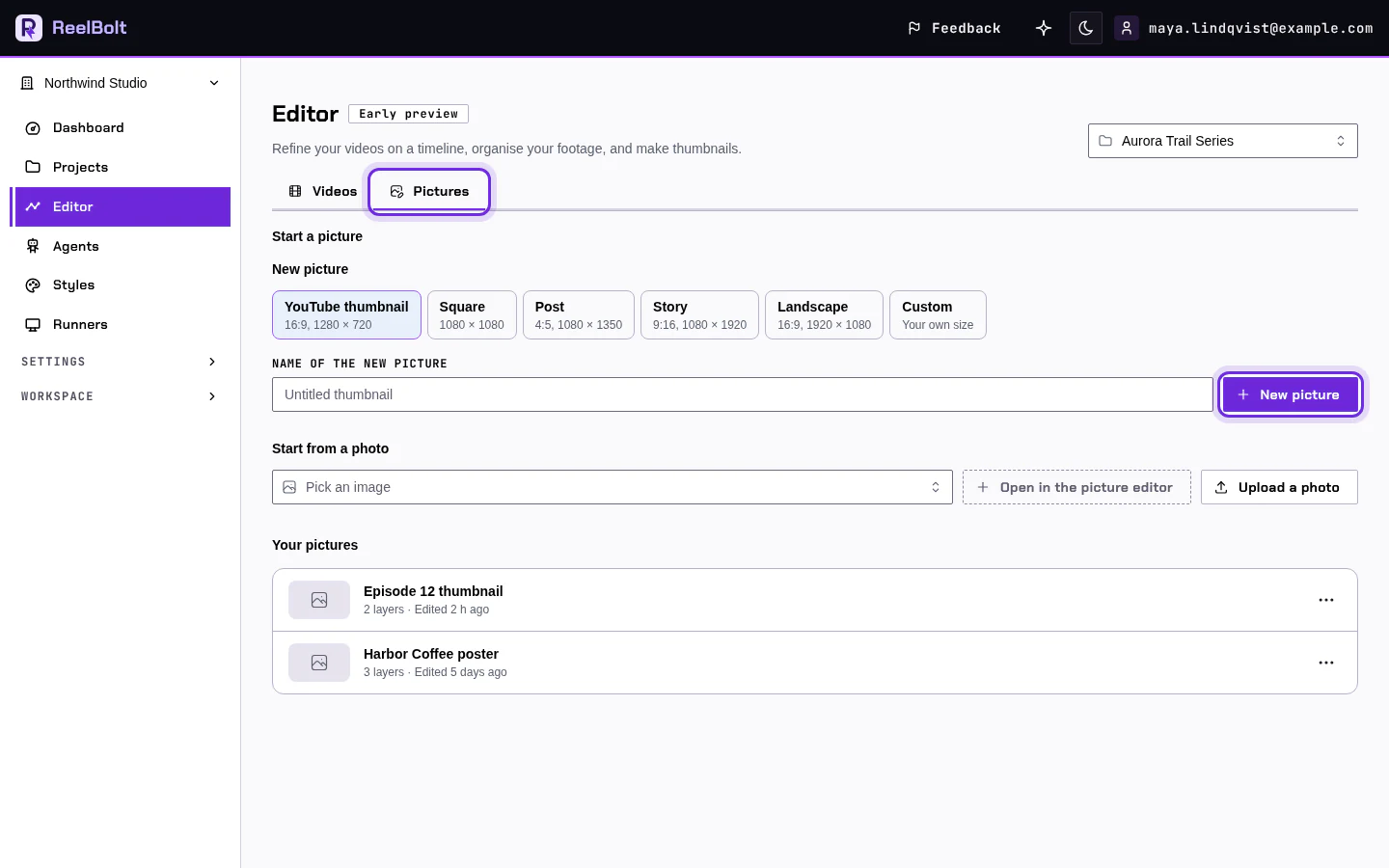
- Click Editor in the left menu and choose the Pictures tab.
- Pick a shape under New picture, for example Landscape 16:9. Give it a name and click New picture.
- To start from a photo instead, pick one of your images and click Open in the picture editor, or click Upload a photo.
Add text and export
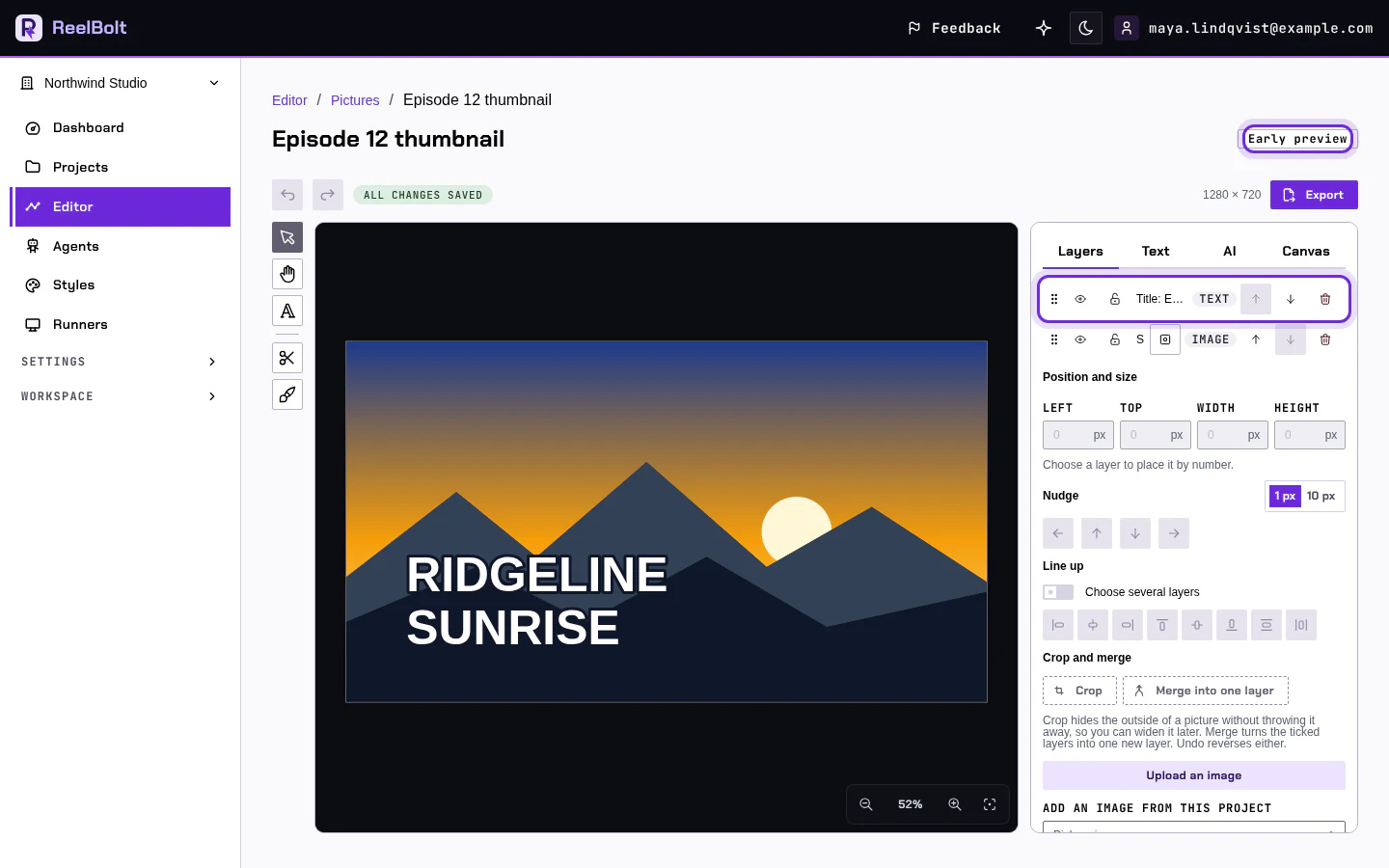
- In the editor, add a text layer and type your title.
- Move and resize it on the canvas.
- Open the export options and choose a format, such as PNG or JPEG.
The AI tools, such as cutting out a subject, cost credits each time you use one. The price shows before you run it.
If something looks different
- Names of tools and buttons can change while the editor is in Early preview. The full guide shows the current ones.
- On a phone, the editor has its own layout. See the "On a phone" section of the full guide.
Go deeper
Next: Plan, credits and billing.