Plan, credits and billing
You will find your plan and your credits, and see what work costs.
See your plan and credits
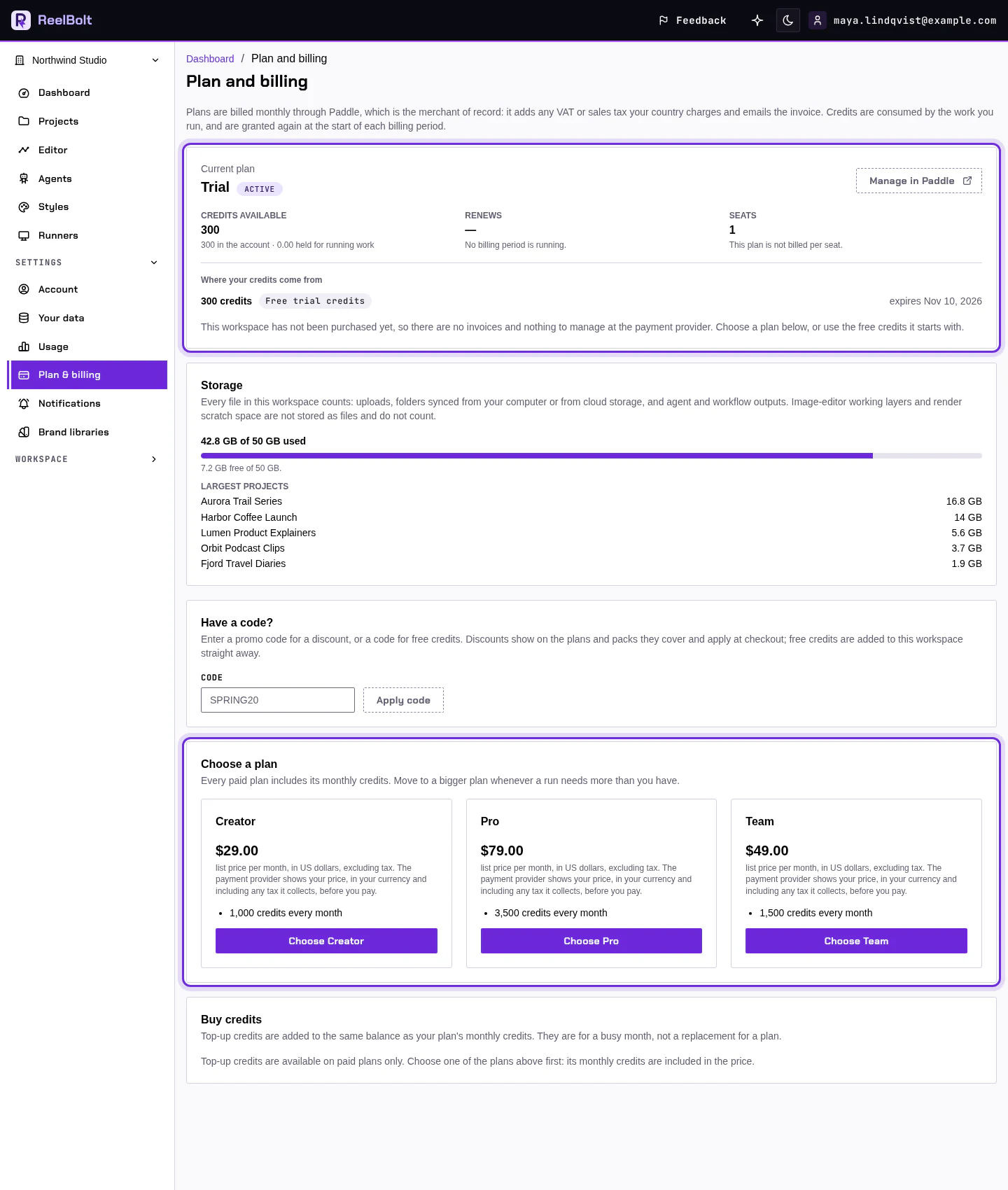
- Open Settings in the left menu and choose Plan & billing.
- Read Current plan to see the plan your workspace is on.
- Open Usage in the same section to see your balance and what you have used.
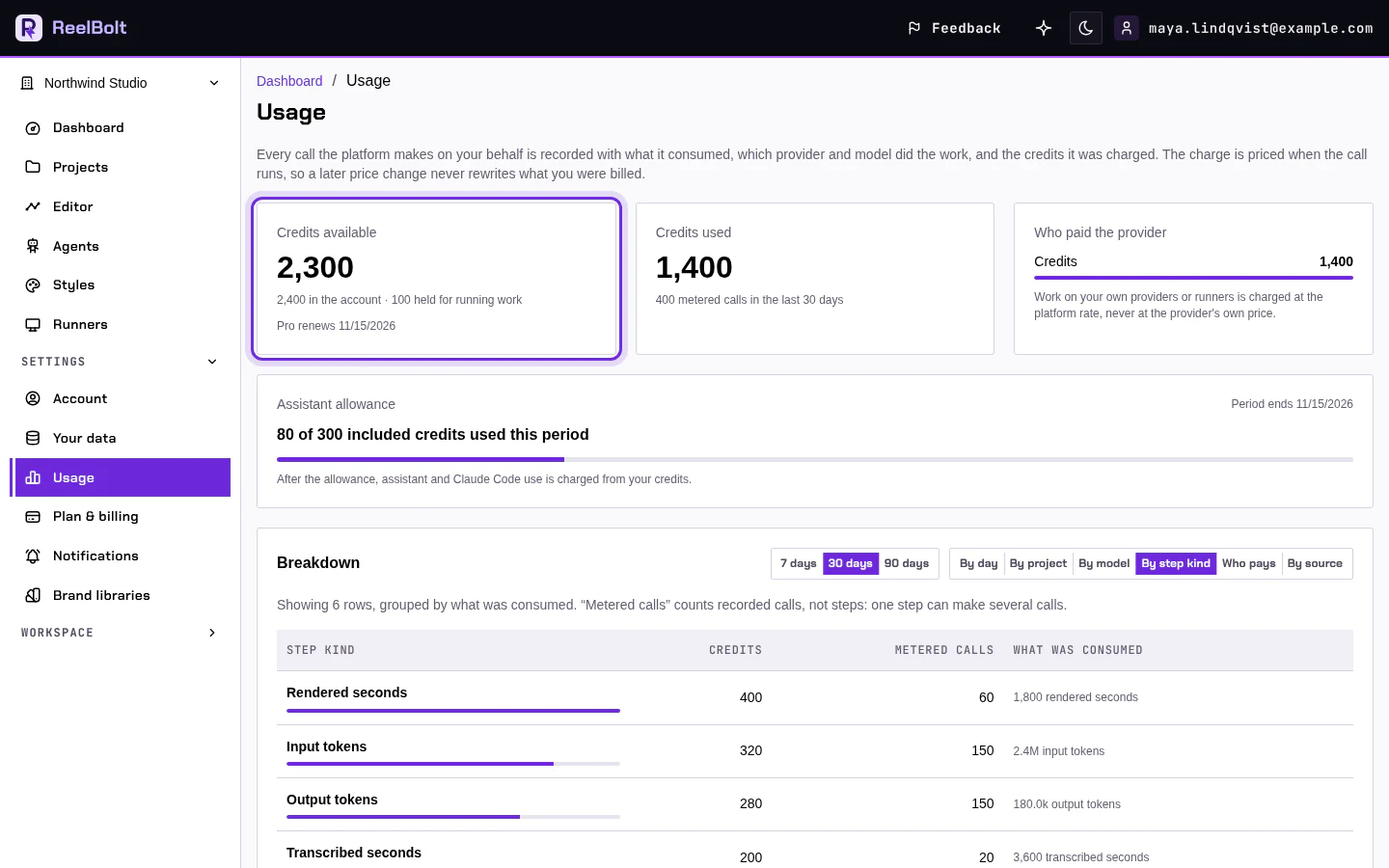
A credit is one unit of spend. Videos, assistant answers beyond your monthly allowance, and picture AI tools use credits. Before you start a run, its expected credits show on the Run button.
Change your plan
Only the workspace Owner and members with the Billing role can buy or change a plan. Everyone else sees the page read-only.
- On Plan & billing, click Choose on a plan under Choose a plan.
- Finish the checkout with the payment provider. Credits are added after the provider confirms your payment.
If something looks different
- Buttons are missing? You can see the page but not change it. Ask the workspace Owner.
- Credits not added yet? Wait a few minutes for the payment to be confirmed, then reload the page.
Go deeper
Next: Connect a runner.